

(Hướng dẫn tiếng Việt bên dưới)
📌 Need Support?
If you encounter any issues during the eSIM activation process, contact Gohub Customer Service via:
Email: [email protected]
WhatsApp: +1 (302) 899-2888
Thank you for choosing eSIM from Gohub!
Below are the steps to activate your eSIM after receiving your Order Confirmation Email.
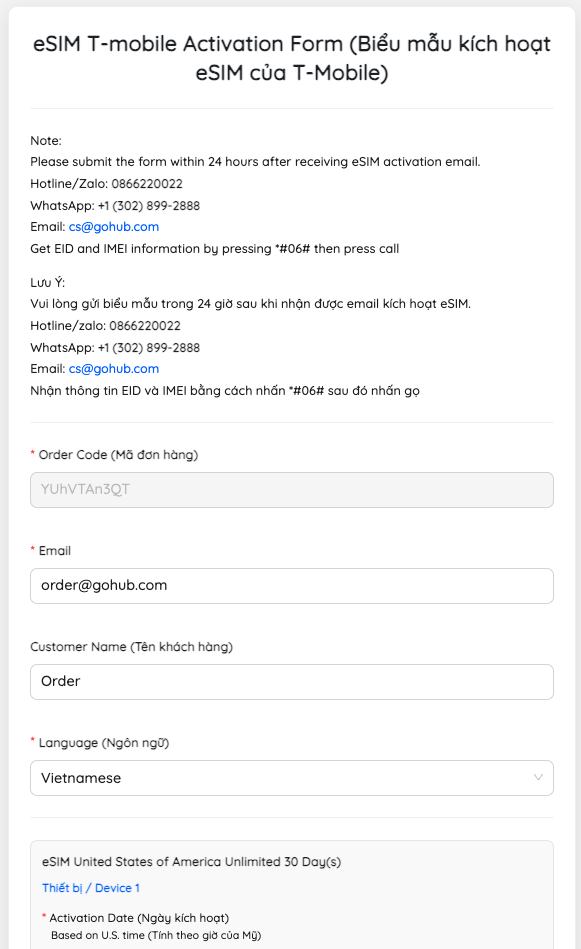
Step 1: Fill out the activation form #
– Right after your order is confirmed, you will receive an email from Gohub.
– In the email, look for and tap the link titled eSIM Activation Form
– Fill in all required information as instructed in the form.
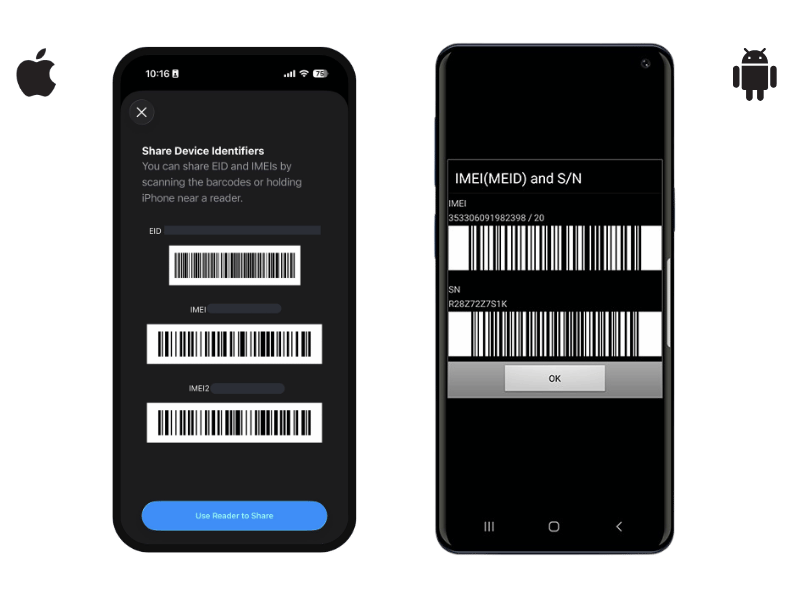
How to find Device Information
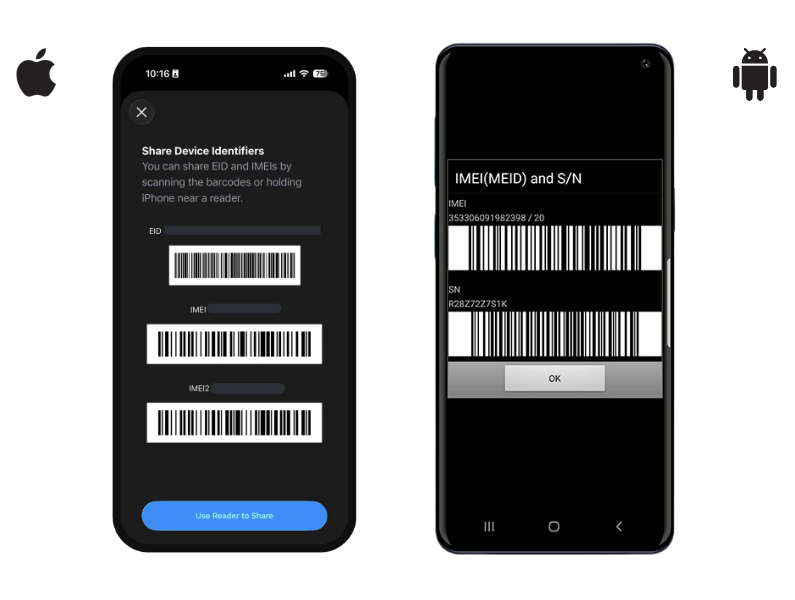
– Please go to your device’s dial pad and press *#06#
– The device information will then appear as shown in the image
Step 2: Submit the form and wait for confirmation #
– Once completed, tap ‘Submit’ to send the form.
– After successfully submitting, you will receive a confirmation email from us.
– Note: Once you receive a notification on your phone, please activate your eSIM within 2 hours to ensure it takes effect.
Step 3: Activate eSIM on your device #
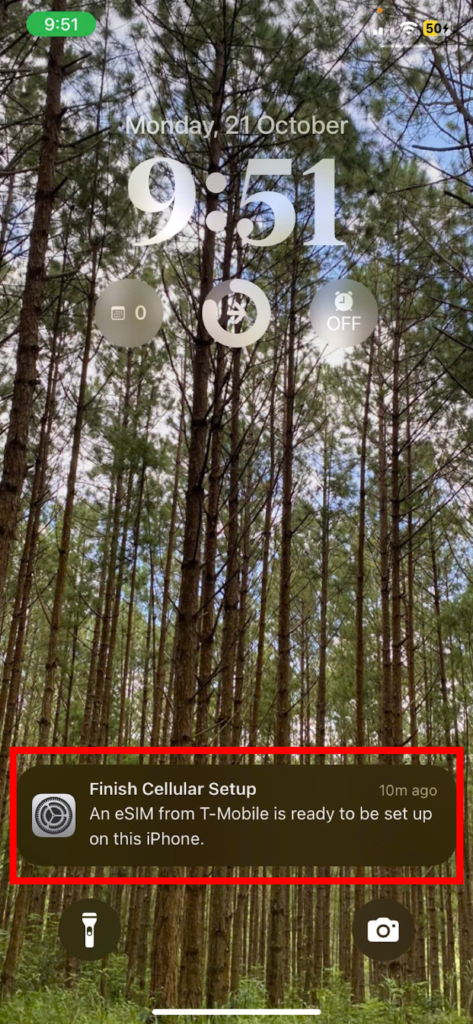
When the notification appears on your device, tap it.
– Tap ‘Go to Settings’
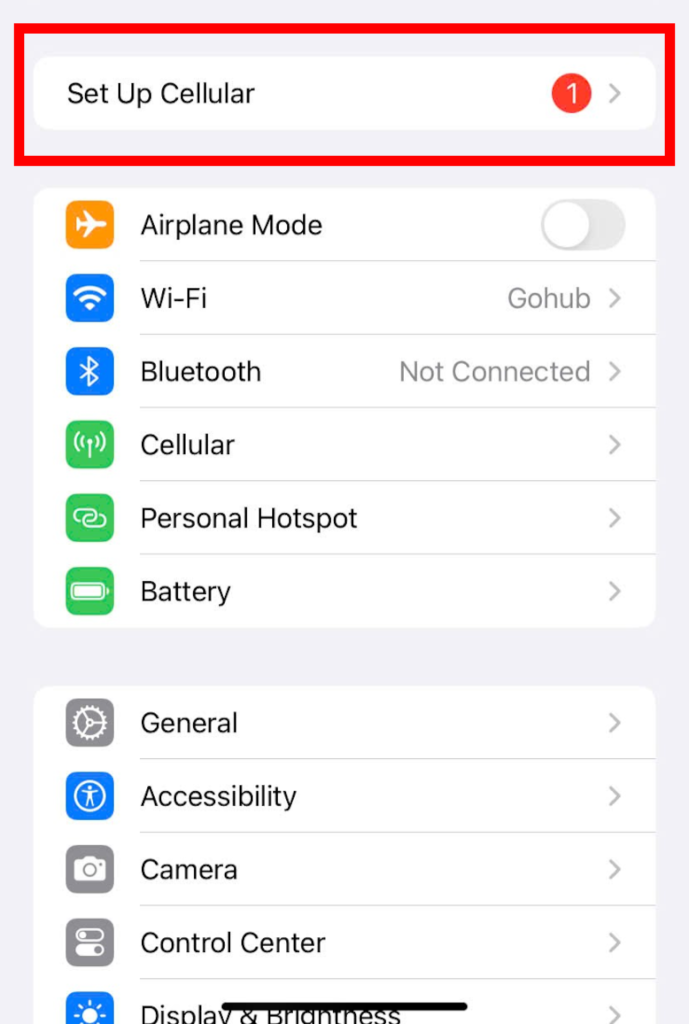
– Tap ‘Set Up Cellular Plan’
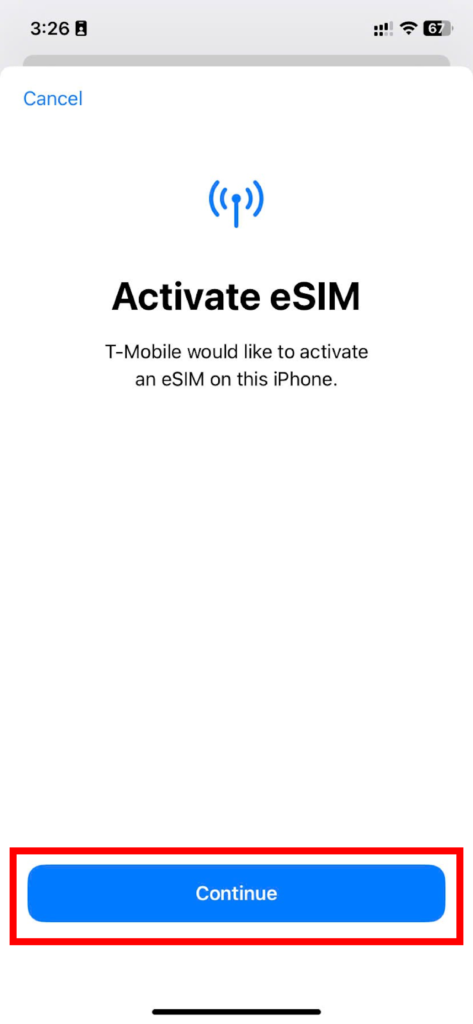
– Tap ‘Continue’ to complete the activation
When the activation date has arrived (but there’s still no notification on the device), you can follow the instructions below:
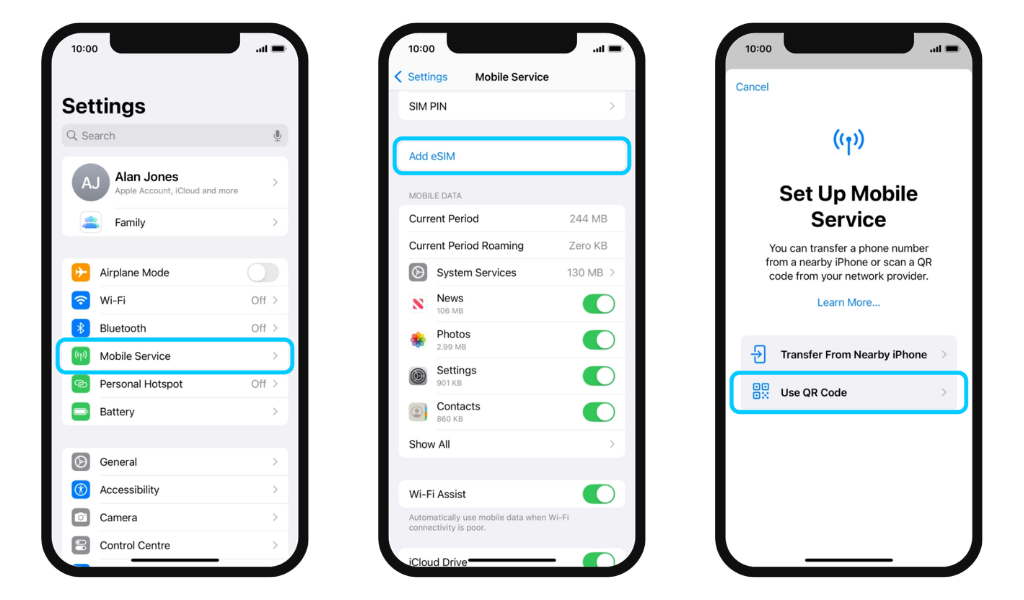
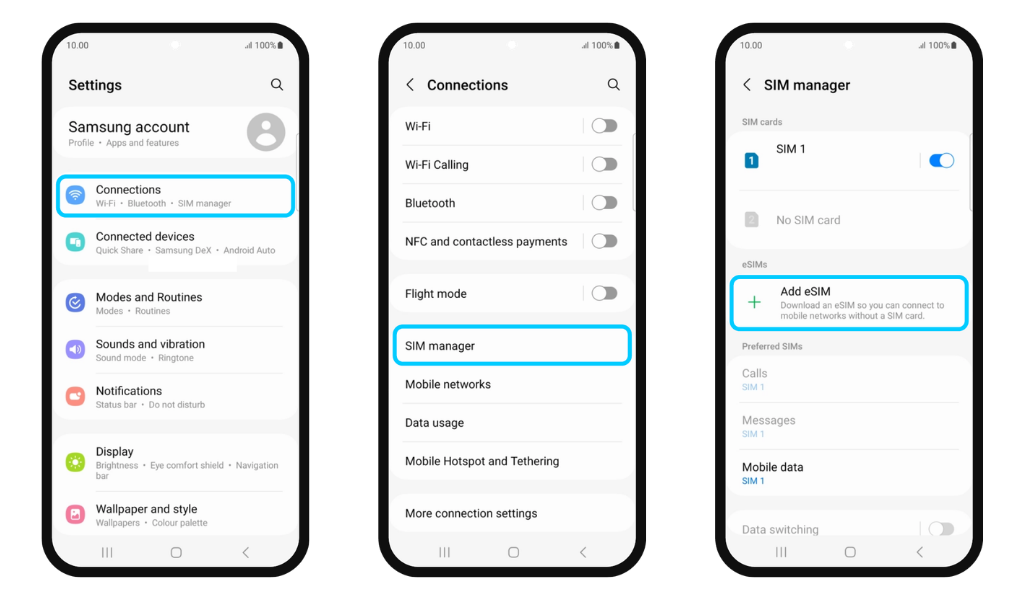
Step 1: Add eSIM
- For iPhone: Go to Settings > Cellular > Add eSIM
- For Android: Go to Settings > Connections > SIM Manager > Add eSIM
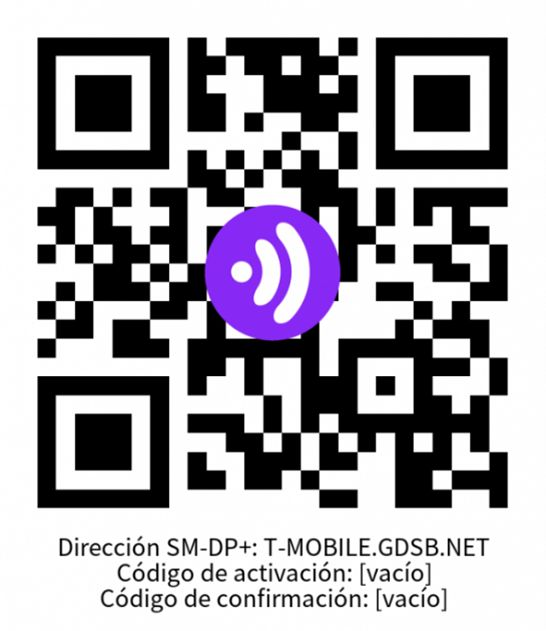
Step 2: Scan QR Code
Use the QR code below if you don’t already have an eSIM ready to download
📌 Cần hỗ trợ?
Nếu bạn gặp bất kỳ sự cố nào trong quá trình kích hoạt eSIM, hãy liên hệ Bộ phận Hỗ trợ của Gohub qua:
Email: [email protected]
Hotline | Zalo: +84 8 6644 0022
WhatsApp: +1 (302) 899-2888
Xin cám ơn quý khách đã tin tưởng lựa chọn eSIM từ Gohub!
Dưới đây là các bước hướng dẫn để kích hoạt eSIM sau khi nhận Email Xác Nhận Mua Hàng
Bước 1: Điền thông tin vào biểu mẫu #
– Ngay sau khi đơn hàng được xác nhận, bạn sẽ nhận được email từ Gohub.
– Trong email, tìm và nhấp vào liên kết có tiêu đề ‘eSIM Activation Form (Biểu mẫu kích hoạt eSIM)’
– Điền đầy đủ các thông tin yêu cầu như hướng dẫn trong biểu mẫu theo hướng dẫn
Cách tìm Thông tin thiết bị
– Quý khách vui lòng vào bàn phím gọi của thiết bị, nhấn *#06#
– Sau đó thông tin thiết bị sẽ hiện ra như ảnh
Bước 2: Gửi biểu mẫu và chờ xác nhận #
– Sau khi hoàn tất, nhấn ‘Submit’ để gửi biểu mẫu.
– Sau khi gửi biểu mẫu thành công, quý khách sẽ nhận được email xác nhận từ chúng tôi.
– Lưu ý: Khi nhận được thông báo từ điện thoại, hãy kích hoạt eSIM trong vòng 2 tiếng để đảm bảo hiệu lực.
Bước 3: Kích hoạt eSIM trên điện thoại #
Khi có thông báo từ thiết bị
– Nhấn vào thông báo > Chọn tới ‘Settings’ (Cài đặt)
– Chọn ‘Set up Cellular’ (Thiết lập Gói Dữ liệu Di động)
– Nhấn ‘Continue’ (Tiếp tục) để hoàn tất quá trình kích hoạt
Khi đã đến ngày đăng kí kích hoạt (nhưng vẫn không có thông báo trên thiết bị). Quý khách có thể thao tác như theo hướng dẫn bên dưới:
Bước 1: Thêm eSIM
- Với Iphone: Vào Cài đặt > Di động > Thêm eSIM
- Với Android: Vào Cài đặt > Kết nối > Quản lý SIM > Thêm eSIM
Bước 2: Scan QR Code
Sử dụng mã QR bên dưới nếu chưa có eSIM sẵn sàng để tải về