Skip to content
Gohub
  • About usExpand
    • Careers
    • Blogs
  • GuidesExpand
    • How to install
    • Check compatible device
    • FAQs
Login
Gohub
Login

General eSIM Information

4
  • What is an eSIM?
  • How is eSIM different from traditional SIM?
  • Benefits of eSIMs for Travel
  • How can I get an eSIM?

Device Compatibility

3
  • Checking Your Device’s eSIM Compatibility
  • Carrier Lock: How to Check & Unlock Your Device
  • List of eSIM Compatible Devices

Installation and Setup

3
  • How to Install Your Gohub eSIM
  • When to Install Your Gohub eSIM
  • Important eSIM Information

Using your eSIM

4
  • How do I use eSIMs while traveling?
  • Can I still receive calls and SMS on my primary number?
  • Apps and Services Compatibility
  • Setting up a hotspot

KYC Guide

7
  • KYC Guide – Kango SIM card
  • KYC Guide – Taiwan Joytel SIM card
  • KYC Guide – Taiwan Joytel eSIM
  • KYC Guide – 3HK eSIM
  • KYC Guide – China Unicom SIM card
  • KYC Guide – 3HK SIM card
  • KYC Guide – China Unicom eSIM

Data Management

5
  • How do I know which eSIM is using data?
  • How can I save data usage on my device?
  • Setting Data Limits
  • How can I check how much data I have used?
  • Managing and Extending Your eSIM Plan

Troubleshooting

7
  • Connection Issues
  • eSIM Installation & Activation Issues
  • QR Code & eSIM Profile Issues
  • Device & Carrier Lock Issues
  • Authentication & Plan Errors
  • App & Service Compatibility
  • General eSIM Management Issues

Account & Coupon

2
  • Creating Gohub Account
  • Applying Gohub coupon code

FAQs & Additional Features

1
  • Dual SIM Functionality Explained

Activation Guide

6
  • How to switch APN settings to use TikTok and ChatGPT (Android)
  • How to switch APN settings to use TikTok and ChatGPT (iOS)
  • How to switch APN settings to use TikTok and ChatGPT
  • Activation Guide – T-mobile
  • Activation Guide – Unitel
  • Activation Guide – Mobifone
View Categories
  • Home
  • Documentation
  • Account & Coupon
  • Creating Gohub Account

Creating Gohub Account

ngan gohub
Updated on July 8, 2025

< 1 min read

On Gohub website, you create an account simply by logging in. Creating a Gohub account is your first step to stress-free global travel. Follow this easy guide to set up your profile and access exclusive travel deals and eSIMs:

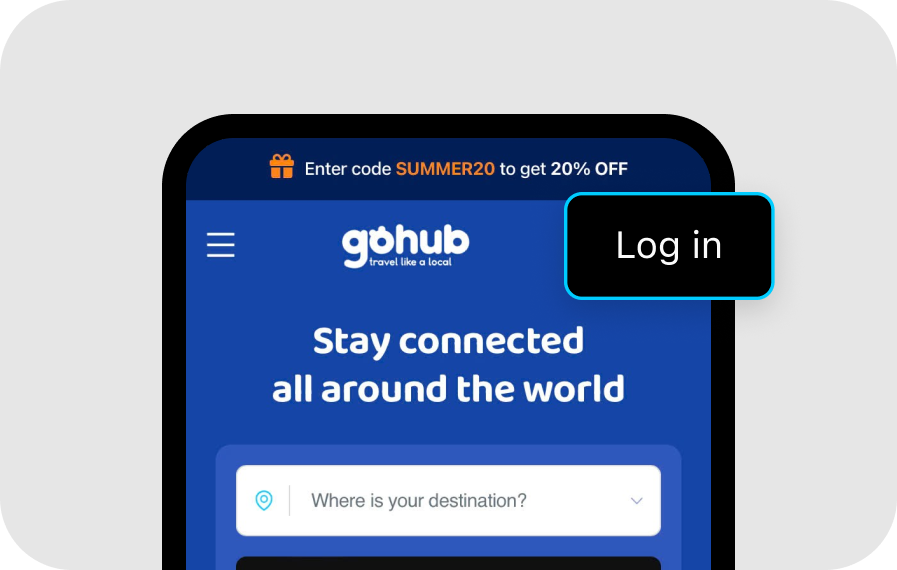
Step 1 #

Click the “Login” button at the top right corner of the page.
Step 2 #

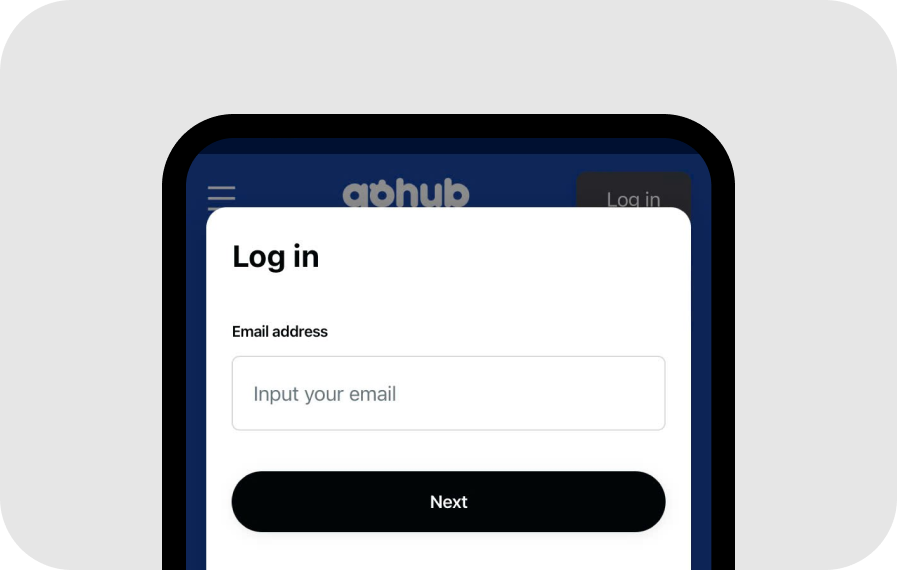
Choose one of the following login methods:

Method 1 #

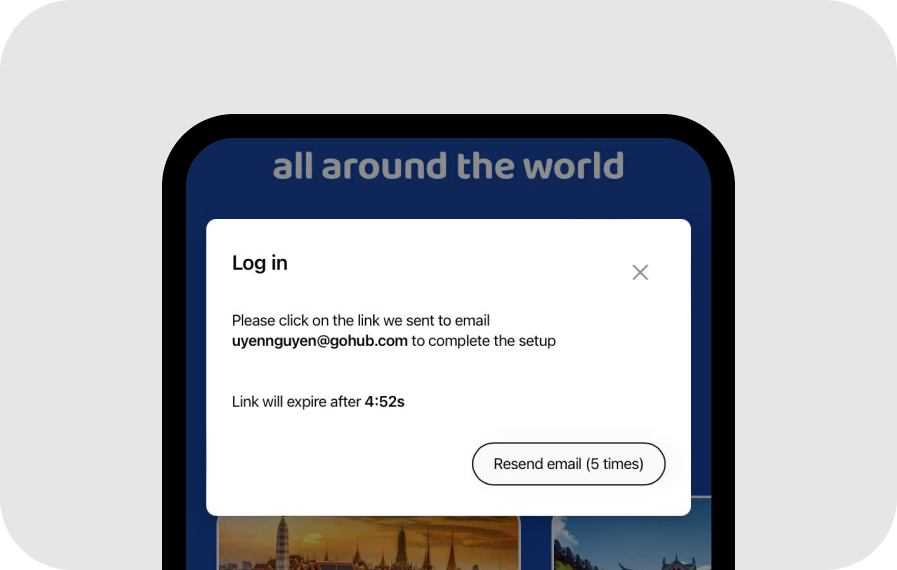
Enter your email address to receive a Magic Link. Open your email and click the link to proceed.
Method 2 #

Click “Log in with Google/Facebook/Apple ID” to sign in using your Google/Facebook/Apple account.

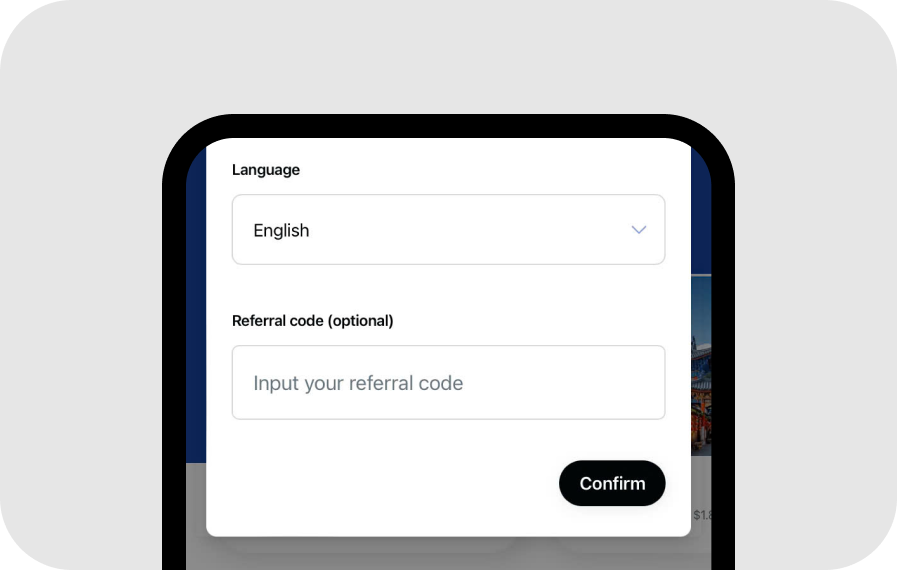
Step 3 #

Once you’re logged in, your Gohub account will be automatically created. Click “Confirm” and you’re all set to start shopping on Gohub!
Applying Gohub coupon code

Powered by BetterDocs

Leave a Reply Cancel reply

Your email address will not be published. Required fields are marked *

Table of Contents
  • Step 1
  • Step 2
    • Method 1
    • Method 2
  • Step 3

Share This Article :

  • Facebook
  • X
  • LinkedIn
  • Pinterest

Was it helpful ?

  • Happy
  • Normal
  • Sad
logo-white-2x

254 Chapman Rd, Ste 208 #17565, Newark, Delaware 19702, US

+1 (302) 899-2888 (WhatsApp)

Guides
About Us
Partner with us
Blogs
Privacy Policy
© 2024 Gohub Inc,. All rights reserved. ​
  • About us
    • Careers
    • Blogs
  • Guides
    • How to install
    • Check compatible device
    • FAQs